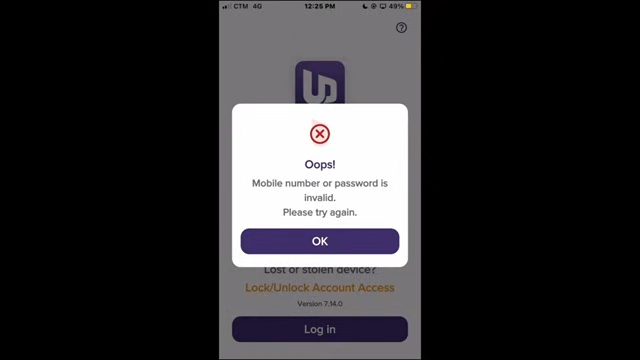
You can recover and reset your forgotten password directly through the UnionDigital Bank Mobile App.
Step-by-Step Password Reset Guide
- Open the UnionDigital Bank app on your mobile device.
- On the main login interface, tap “Having trouble logging in?”.
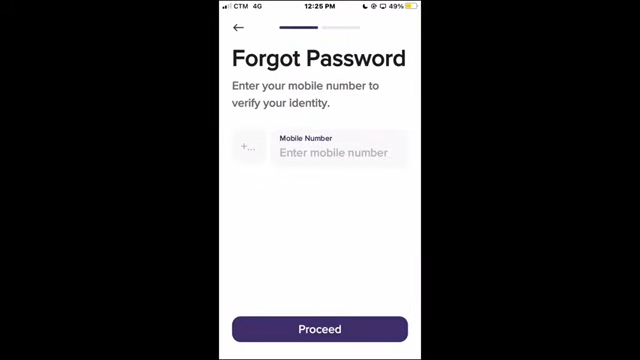
- Select “Reset my password”.
- Enter your registered UnionDigital mobile number and click Submit.
- You will receive a secure 6-digit One-Time Password (OTP) via SMS or in-app notification. Enter this code to verify your identity.
- Create your new password. Ensure it meets the security guidelines (at least 8 characters, containing a number, an uppercase letter, and a special character).
- Select Submit to finalize the updates. You can now immediately sign back in.
Troubleshooting
Didn’t receive the OTP? Tap the “Send another” button on the verification screen to retry.
Still Locked Out? If you cannot complete the recovery or your account gets flagged, you can email customer service directly at help@uniondigitalbank.io. Alternatively, if you can access a secondary menu, you can submit a support ticket via the UnionDigital Help Center.