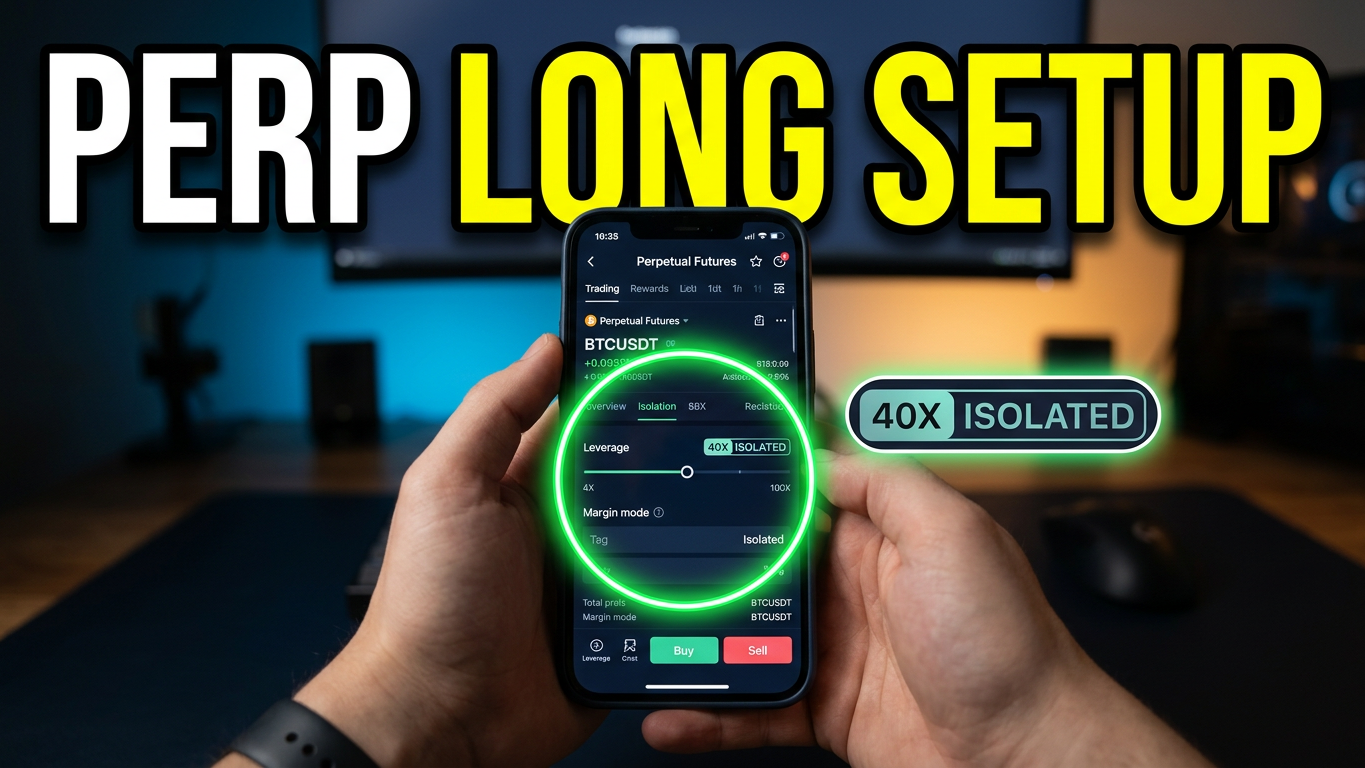
Opening a BTCUSDT 40 times leveraged isolated long position on the BTC_USDT perpetual futures contract on Gate.io involves a few direct steps.
Trading with 40x leverage means that for every $1 of your own collateral, you are borrowing $39 from the exchange to hold a $40 position. While this amplifies your purchasing power and potential profits, it also dramatically increases your risk. A market move of just 2.5% against your position will result in a total loss of your collateral (liquidation).
Using Isolated Margin restricts your maximum loss on this specific trade to the initial margin you allocate to it, protecting the rest of your spot and futures account balances.
Step 1: Fund Your Futures Account

Navigate to your wallet and ensure you have USDT in your Spot Account. If not, deposit or transfer funds there.
Click on Futures (USDT-M Futures) and select the Transfer button to move USDT from your Spot Account into your Futures Account.
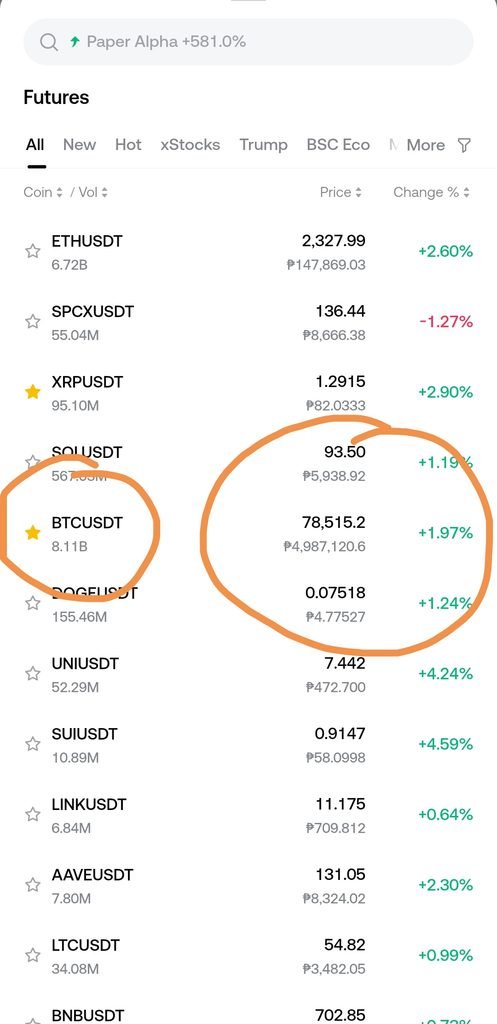
Step 2: Navigate to the BTC_USDT Perpetual Contract
- Go to the top navigation bar, select Futures, and choose USDT-M Perpetual.
- Search for and select the BTC_USDT trading pair to open the main trading interface.
Step 3: Set Margin Mode to Isolated
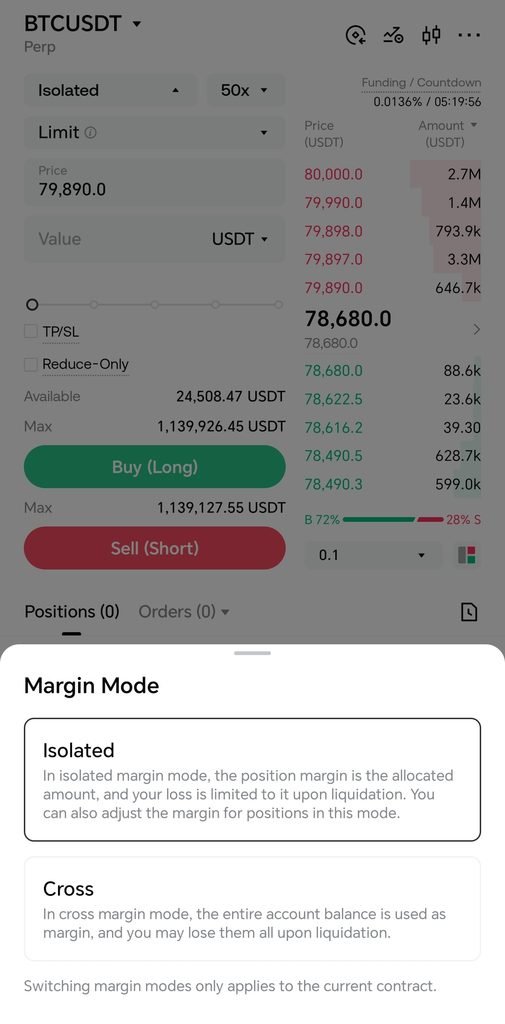
- Look near the top-left or order-entry panel on the trading screen where the default margin mode is displayed (it may initially say “Cross”).
- Click on the margin mode button, select Isolated Margin Mode, and confirm.
- Note: Isolated mode ensures that only the specific margin allocated to this trade is at risk, protecting the rest of your futures balance from liquidation.
Step 4: Adjust Leverage to 40x
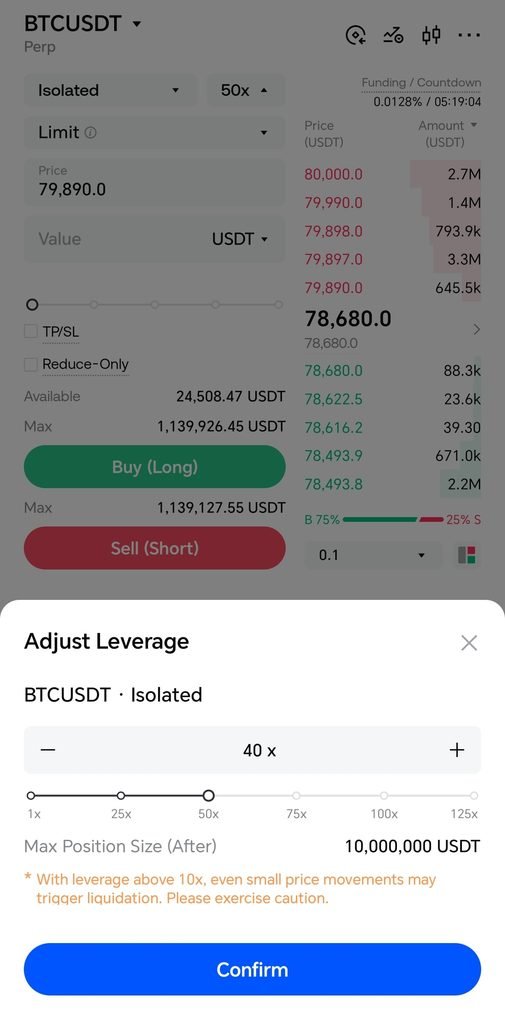
- Right next to or below the margin mode selector, click on the current leverage multiplier badge (e.g.,
10xor20x).- Verification: Check that the popup slider or text box allows you to adjust the multiple.
- Drag the slider or type
40xinto the leverage configuration window. Click Confirm.- Note: If your account is brand new (open for less than 3 days), Gate.io enforces a temporary restriction capping initial leverage at 20x until the account matures.
Step 5: Configure and Execute the Long Order
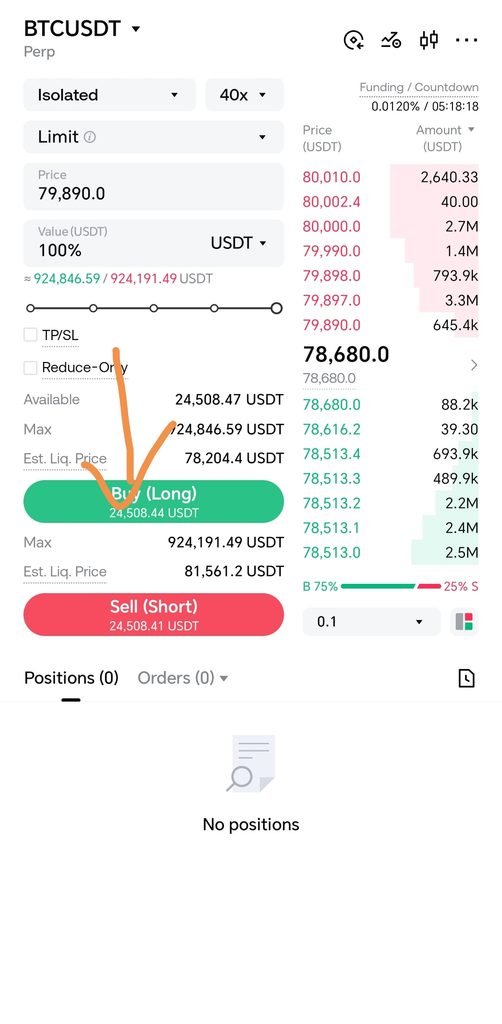
- Select Order Type: Choose either a Limit Order (to set a specific entry price) or a Market Order (to execute instantly at the current best available market price).
- Enter Amount: Input the amount of BTC contracts or USDT value you wish to trade.
- Open Position: Click the green Buy (Long) button to submit your order.
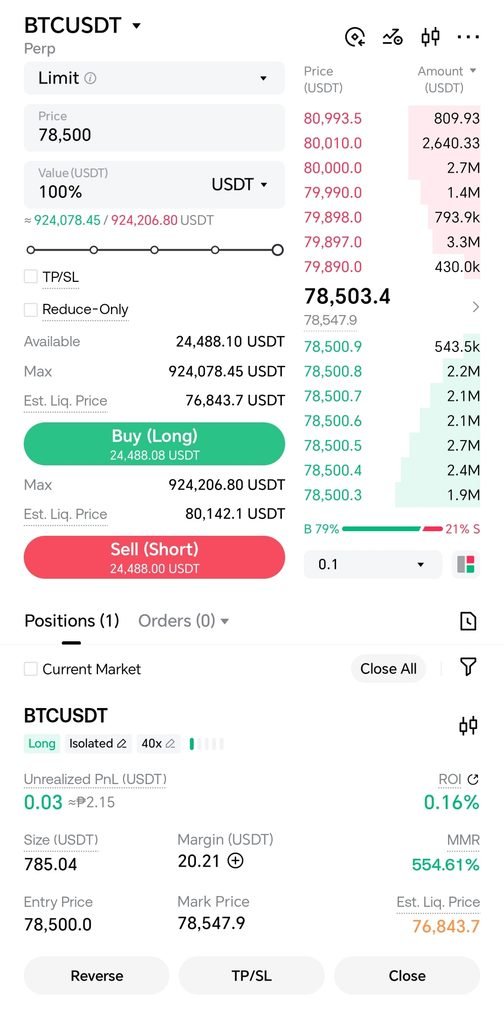
⚠️ WARNING: High Leverage Liquidation Risk Using 40x leverage means an adverse price movement of roughly 2.5% against your entry price can wipe out your position’s isolated margin entirely, resulting in immediate liquidation. Always use strict risk management, such as setting a stop-loss order.
Essential Risk Management Rules
- Factor in Maintenance Margin: True liquidation occurs slightly before a full 2.5% drop because Gate.io requires a small percentage buffer (Maintenance Margin Rate) to safely close your position out in the open order book.
- Keep Capital Sizes Minimal: Never deploy a large percentage of your overall net worth inside an isolated pocket configured to 40x leverage.
- Prioritize Hard Stops: Always utilize exchange-enforced Stop-Loss parameters to exit underperforming trades automatically before liquidation engine penalties are systematically initiated.