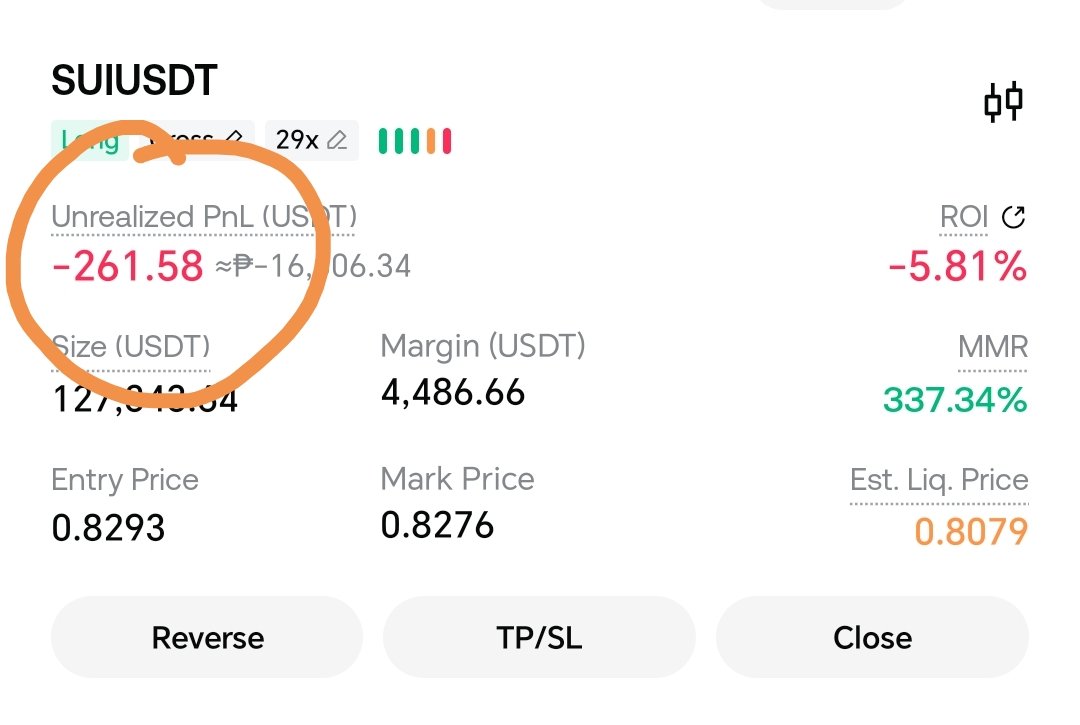
Trading cryptocurrency perpetual contracts with leverage allows you to amplify your exposure and potential returns without needing to hold the full capital value of the underlying asset. Platforms like Gate.io offer robust USDT-margined (USDT-M) perpetual contracts, enabling traders to take long (buy) or short (sell) positions with multi-x leverage.
Using AVAX (Avalanche) as an example, this comprehensive guide walks you through setting up, opening, managing, and closing a 30x leverage long position on Gate.io safely, alongside crucial risk management mechanics.
1. Understanding the Fundamentals: What is a 30x Long Position?
Before committing capital, it is vital to understand what opening a 30x long position entails:
- Going Long: You are speculating that the price of AVAX will rise. You profit if the market moves upward and lose money if it declines.
- 30x Leverage: Leverage multiplies your buying power. With 30x leverage, every $1 of your own collateral (margin) controls $30 worth of AVAX contracts.
- The Math of Margin and Liquidation: At 30x leverage, the initial margin requirement is roughly 3.33% of the total position size. Because your margin buffer is slim, a adverse price movement of roughly 3% to 3.3% against your entry price (plus maintenance margin and fees) will trigger a liquidation, wiping out your allocated collateral for that position.
2. Prerequisites on Gate.io
To trade derivatives on Gate.io, complete these foundational steps:
- Account and Verification: Ensure your Gate.io account is registered, logged in, and has completed the required KYC (Know Your Customer) verification tiers.
- Fund Your Spot Wallet: Deposit USDT into your Gate.io account, as Gate.io’s standard perpetual contracts use USDT as the settlement and collateral currency (USDT-M).
- Transfer to Futures Wallet:
- Navigate to your Wallet dashboard.
- Click on Transfer.
- Move USDT from your Spot Account to your Futures Account. (You only need to transfer the specific amount you intend to use as collateral or risk capital).
3. Step-by-Step Guide: Opening an AVAXUSDT 30x Long Position
Step 1: Navigate to the Futures Trading Terminal
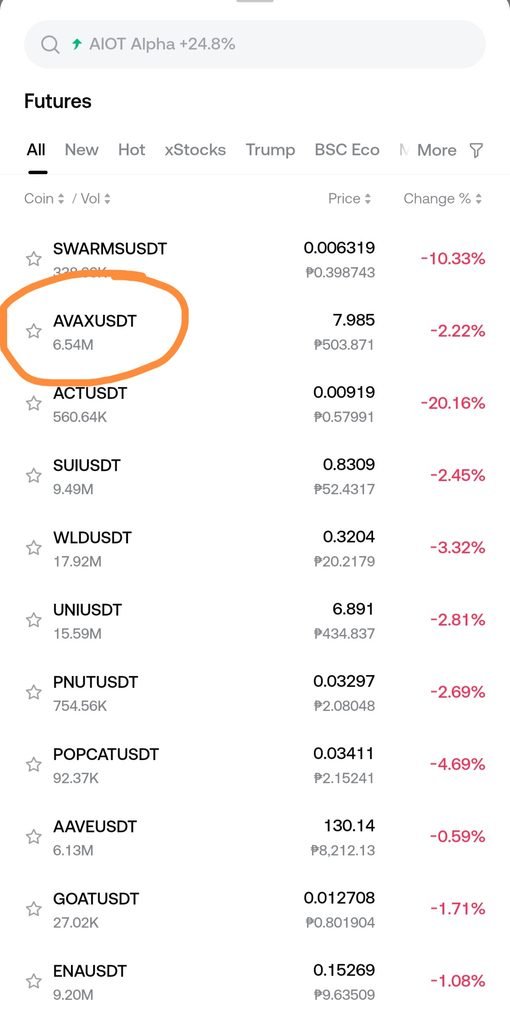
- Go to the main Gate.io website or mobile app.
- From the top navigation menu, hover over Derivatives and select USDT-M Futures (or Perpetual Futures).
- In the asset search bar on the trading interface, look up AVAX_USDT and click on it to open the AVAX perpetual market chart and order book.
Step 2: Choose Your Margin Mode (Cross vs. Isolated)
Gate.io lets you choose between two margin frameworks before opening a trade:
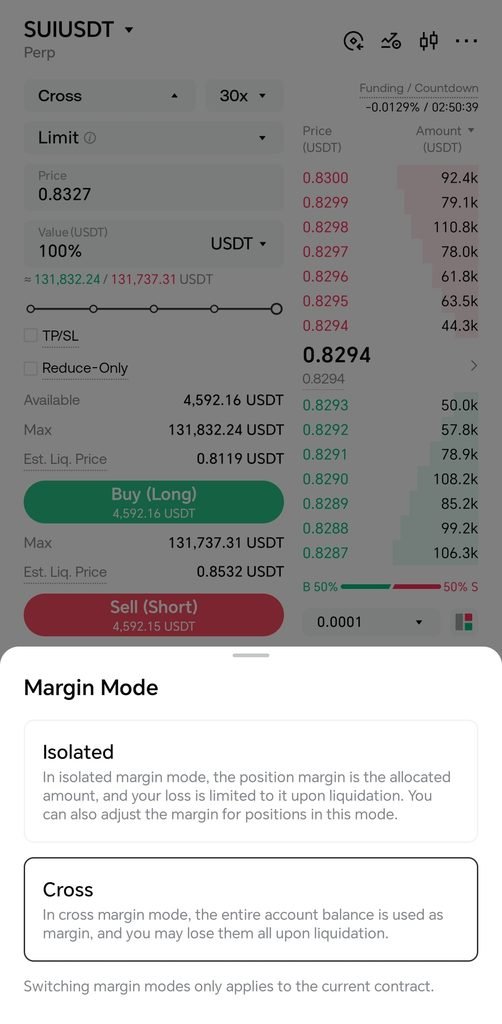
- Isolated Margin Mode: Risk is strictly contained to the specific margin allocated to the individual AVAX position. If liquidated, you only lose that specific amount. This is heavily recommended for high-leverage trading (like 30x).
- Cross Margin Mode: Your entire balance in the futures account acts as shared collateral for all open positions. While it reduces immediate liquidation risk on a single trade, a severe market crash can endanger your entire futures account balance.
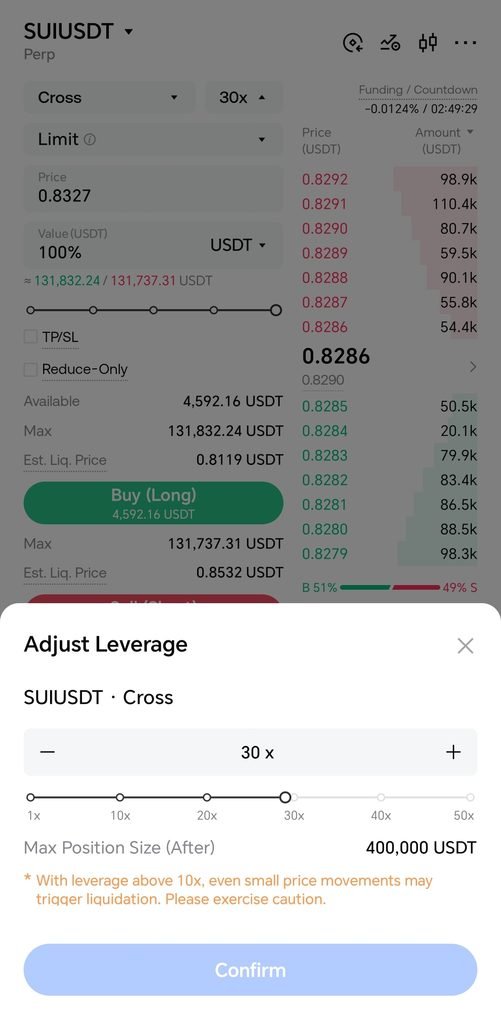
Step 3: Set Your Leverage to 30x
- Locate the leverage adjustment button near the order entry panel (usually defaults to lower leverage like 10x or 20x).
- Click on it and use the slider or manual input box to set your leverage multiplier to 30x.
- Confirm your choice. Note: Exchanges enforce tiered risk limits; higher leverage tiers may restrict massive position sizes, but for standard retail sizes, 30x is fully supported for AVAX.
Step 4: Configure Order Type and Parameters
You can choose how you want to enter the market:
- Limit Order: Allows you to specify the exact price you want to buy AVAX at. The order sits on the order book until the market matches it. Ideal for avoiding high taker fees and entering at a precise technical support level.
- Market Order: Executes instantly at the best available current market price. Use this if you want immediate execution, keeping in mind minor slippage during high volatility.
Step 5: Input Position Size and Review Metrics
- Enter the amount of AVAX contracts or the USDT margin you wish to commit.
- Pay close attention to the order preview panel provided by Gate.io, which displays:
- Initial Margin: The exact amount of USDT being deducted from your futures balance.
- Estimated Liquidation Price: The critical price threshold where your position will be forcibly closed to prevent negative balances. At 30x leverage, observe how close this price is to your expected entry.
Step 6: Execute the Long Order
Click the green Open Long (Buy) button. Once filled, your position will appear in the Positions tab at the bottom of the trading screen.
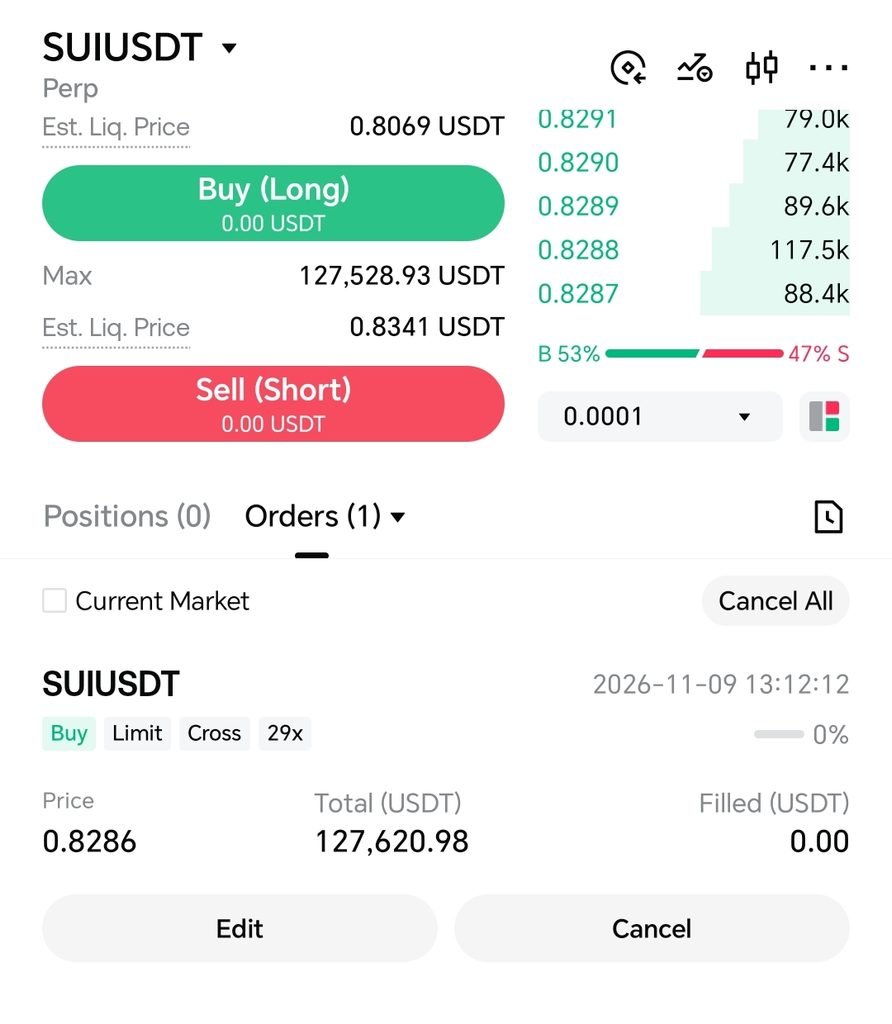
4. Managing and Protecting Your Position
Holding a 30x leveraged position requires active monitoring because small market swings carry high financial impact.
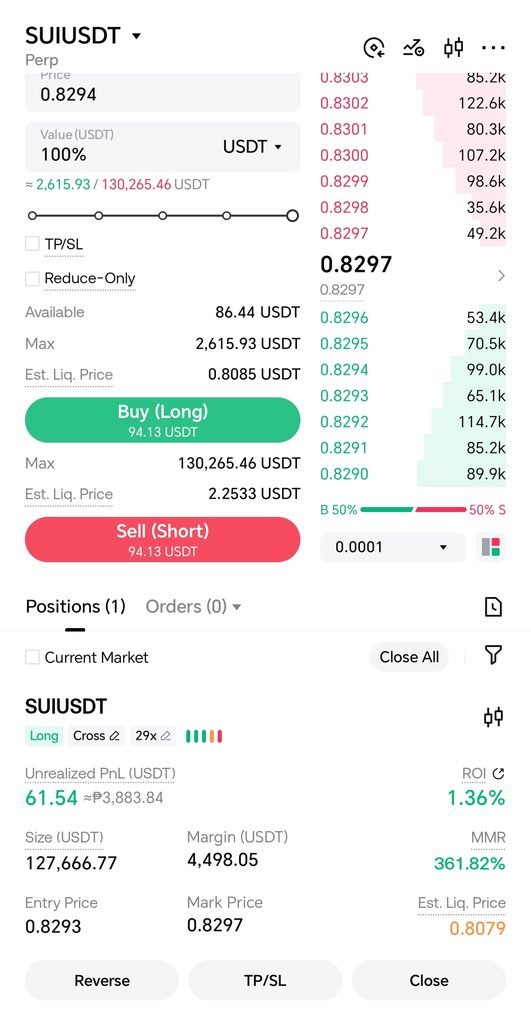
- Set Stop-Loss (SL) and Take-Profit (TP): Never open a 30x trade without a stop-loss. Right next to your active position in the dashboard, click on TP/SL. Define a strict stop-loss price just below your invalidation support level to prevent complete liquidation. Similarly, set a take-profit target to lock in gains automatically when AVAX reaches your objective.
- Understand Funding Fees: Perpetual contracts do not expire. To anchor the contract price to the spot index price, a funding rate exchange occurs between longs and shorts every 8 hours. If the market is heavily bullish, longs pay shorts; if bearish, shorts pay longs. Keep an eye on the countdown timer so unexpected funding fees do not eat into your margins.
- Monitor the Liquidation Price: If AVAX moves downward, your liquidation price draws closer. In Isolated mode, you can manually click Adjust Margin to add more funds to the position’s margin bucket, pushing your liquidation price further away.
5. Closing the Position
When you are ready to take your profit or cut your losses, you have two primary options:
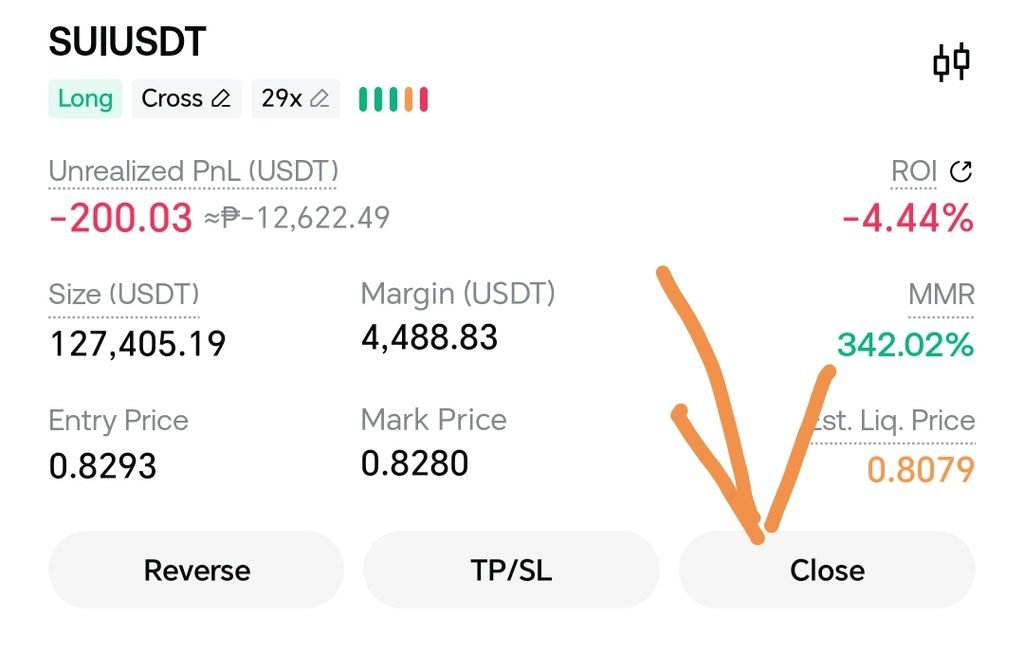
- Market Close: Go to your open positions tab and click Market Close to liquidate your entire position instantly at the prevailing market price.
- Limit Close: Place a limit order in the opposite direction (selling) with Reduce-Only checked, enabling you to exit precisely at your target resistance level.
6. Risk Management Best Practices for High Leverage
- Capital Allocation: Never trade with money you cannot afford to lose. At 30x leverage, allocate only a tiny fraction (e.g., 1% to 2%) of your overall crypto capital to a single trade.
- Avoid Emotional Revenge Trading: High leverage can cause rapid liquidations. If a trade hits its stop-loss, accept the controlled loss rather than immediately opening another 30x position out of frustration.
- Practice First: If you are unfamiliar with Gate.io’s interface or derivatives mechanics, test the workflow using Gate.io’s testnet or simulate with minimal amounts (e.g., 1 to 5 USDT) at very low leverage before scaling up.