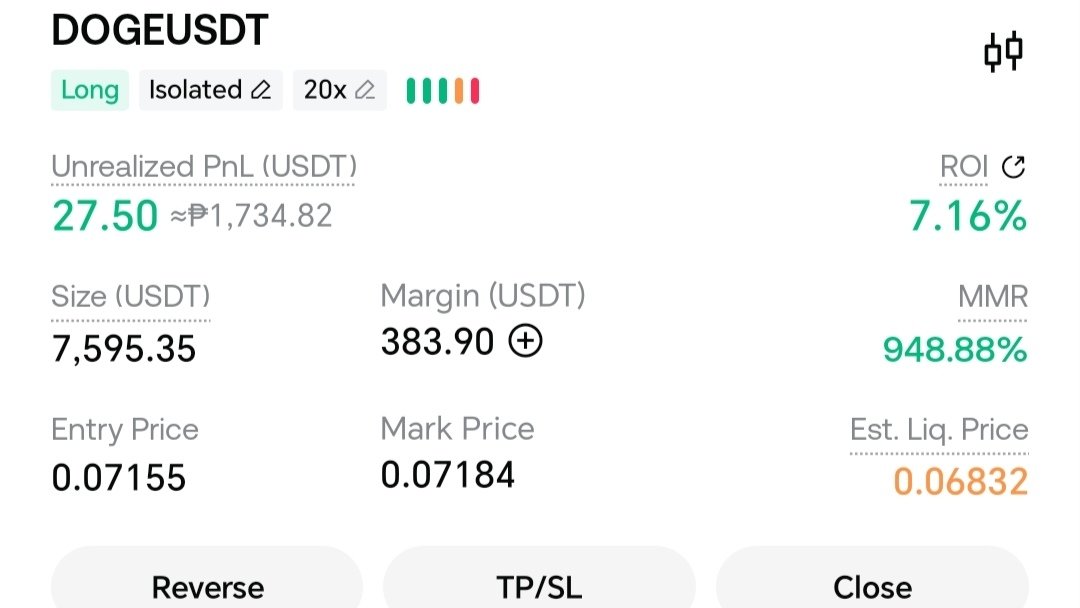
Opening a 20x leveraged long position on the DOGE/USDT perpetual futures market on Gate.io requires taking the following step-by-step actions:
Step 1: Transfer Collateral to Futures Account
- Open Gate.io and go to your Wallet / Assets.
- Select Transfer and move USDT from your Spot Account to your USDT-M Futures Account.
Step 2: Select the Market
- Navigate to the Futures / Derivatives tab.
- Choose USDT-M Perpetual Futures.
- Search for and select the
DOGE/USDTtrading pair.
Step 3: Configure Margin Mode & 20x Leverage
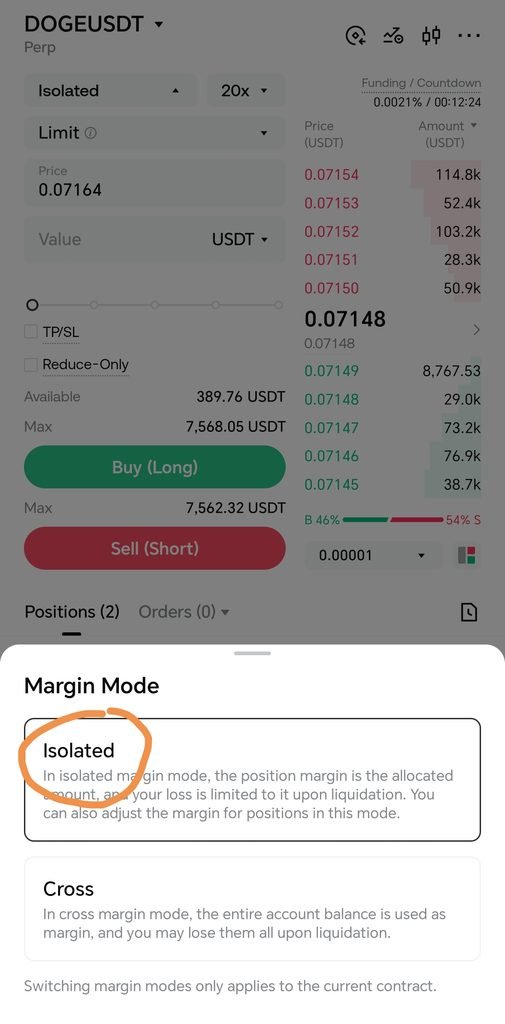
- At the top of the trading interface (near the order entry panel), click on the margin setting (by default, it may say Cross or Isolated).
- Select Margin Mode:
- Isolated Margin: Confines your maximum risk for this specific trade to the allocated margin. Recommended to prevent total account drawdown.
- Cross Margin: Uses your entire USDT futures balance as collateral to prevent liquidation.
- Set Leverage: Drag the leverage slider or type
20xinto the box, then tap Confirm.
Step 4: Place the Buy (Long) Order
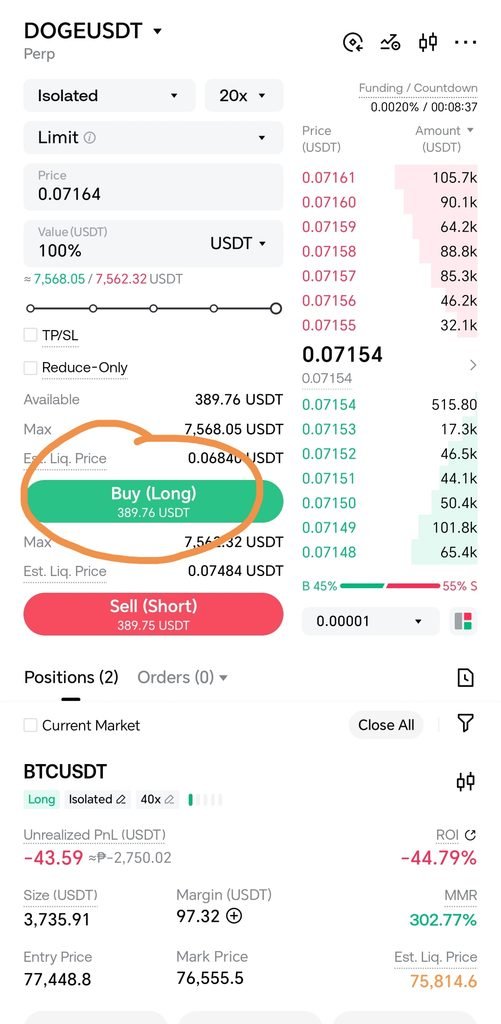
- Select your order type:
- Market Order: Executes immediately at the best available market price.
- Limit Order: Sets a specific price at which you want your trade to execute.
- Enter the Amount (either in total contract value or USDT margin).
- (Optional but recommended) Check TP/SL to set your Take-Profit target and Stop-Loss safety net before opening.
- Click or tap Buy / Long.
Key Mechanics of 20x Leverage
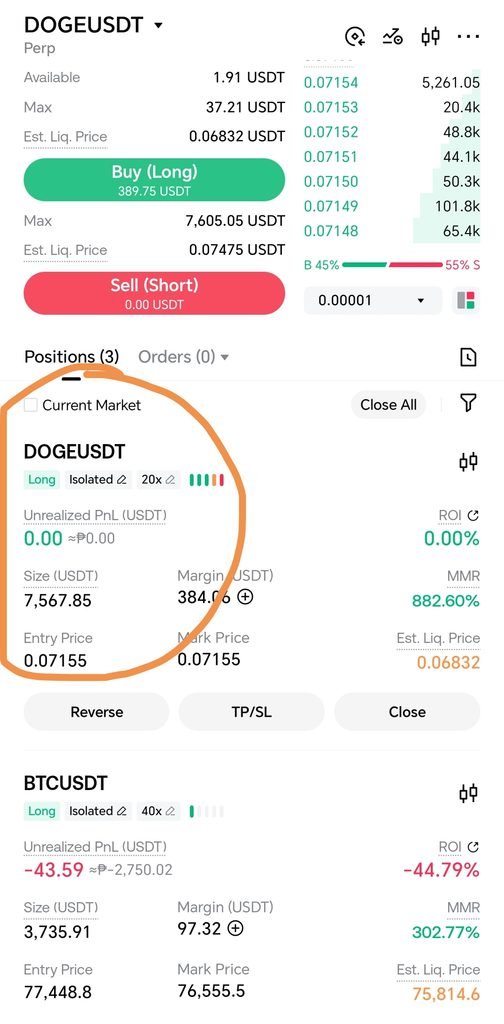
- Position Size Formula: \text{Position Size} = \text{Initial Margin} \times 20.
- Liquidation Buffer: With 20x leverage, your initial margin requirement is only 5%. This means a ~4.5% to 5% price drop against your entry can trigger liquidation and forfeit your margin. Always keep an eye on your Liquidation Price listed under the Positions tab once filled.
Disclaimer: Trading cryptocurrencies especially with leverage involves significant financial risk and can lead to the loss of your capital. This guide is for educational purposes only and does not constitute financial advice.