To trade the WLDUSDT perpetual futures contract at 30x leverage on Gate.io, follow this step-by-step workflow.

Step 1: Fund Your Futures Account
- Log in to your Gate.io account.
- Ensure you have USDT in your spot wallet. If not, deposit or swap funds into USDT.
- Transfer USDT from your Spot Account to your Futures (Contract) Account (USDT-M futures use USDT as the settlement asset).
Step 2: Navigate to the WLDUSDT Perpetual Contract

- Go to the top menu, select Derivatives, and click on USDT-M Futures.
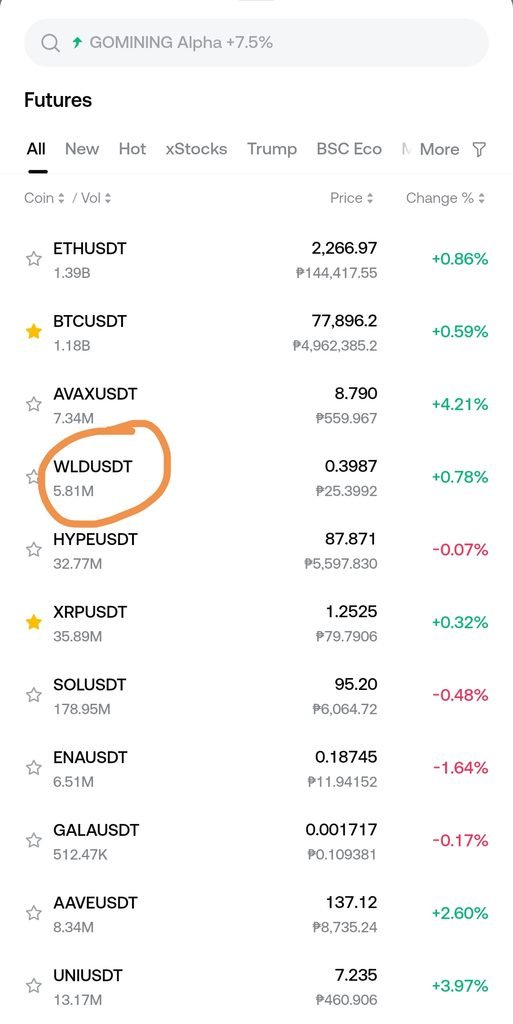
- In the search bar on the trading interface, type
WLDand select the WLDUSDT perpetual contract.
Step 3: Choose Your Margin Mode
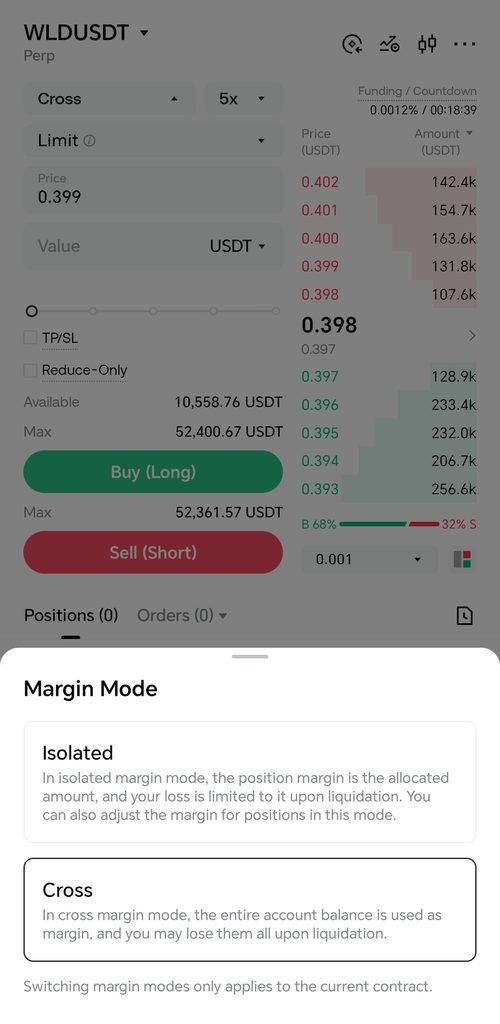
Before setting your leverage, choose how your margin will behave:

- Cross Margin: Shares the margin balance across all open positions in your futures account. This helps prevent liquidation on a single position if you have extra funds sitting idle in your futures wallet.
- Isolated Margin: Risk is strictly contained to the individual margin allocated to that specific WLDUSDT trade. If liquidated, you only lose the margin assigned to this specific position. (Note: Ensure you have no active positions or open orders when switching margin modes).
Step 4: Set the Leverage to 30x
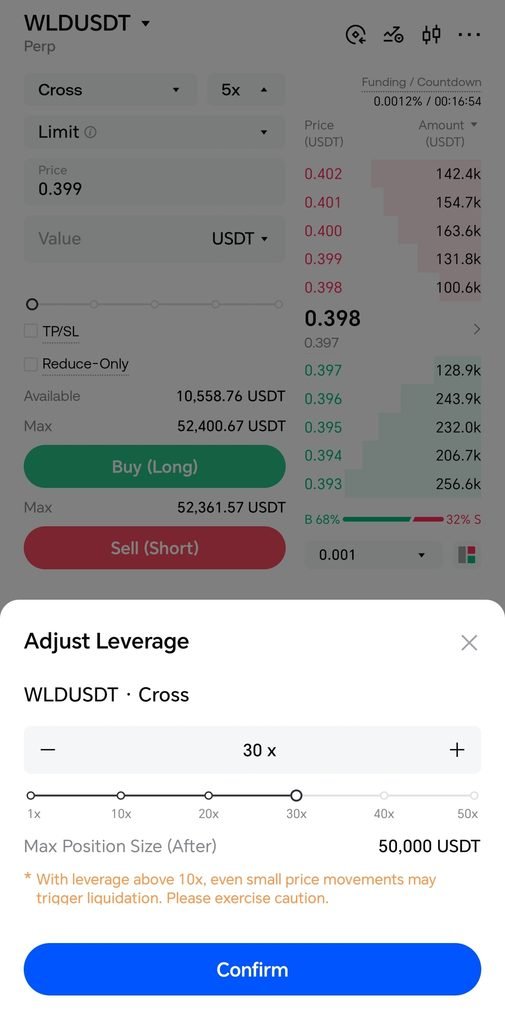
- Locate the leverage selector button near the order placement panel (it usually displays your current multiplier, such as 10x or 20x).
- Click or tap on it to open the Adjust Leverage pop-up.
- Move the slider or type 30x into the input field.
- Click Confirm.
- Note on account restrictions: If your Gate.io account is brand new (active for less than 3 days), the platform may enforce a temporary restriction capping initial leverage at 20x until the account matures.
Step 5: Place Your Order
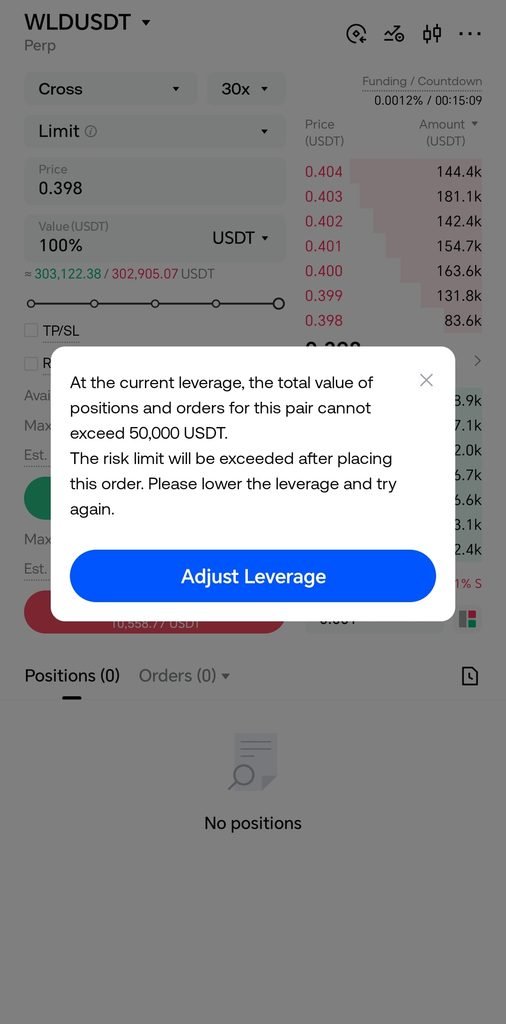
- Select Order Type: Choose between a Limit Order (specify your exact target price) or a Market Order (execute instantly at the current market price).
- Enter Position Size: Input the amount of WLD you want to trade or use the slider to allocate a percentage of your available margin. The interface will display your Initial Margin requirement and estimated liquidation price.
- Execute Trade: Click Buy / Long if you anticipate the price of WLD will rise, or Sell / Short if you expect it to drop.
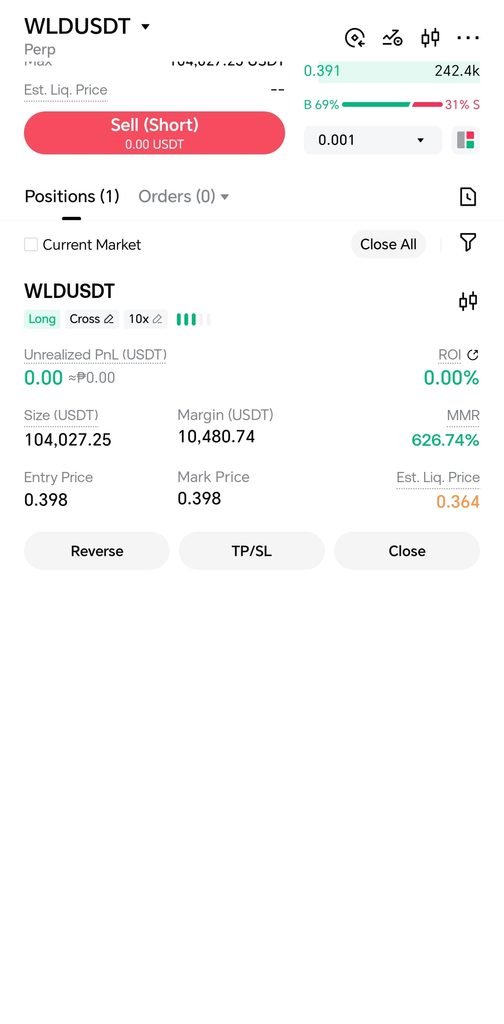
⚠️ Risk Management Reminder: Trading at 30x leverage significantly amplifies both potential profits and potential losses. A relatively small adverse price movement against your position can trigger a rapid liquidation. Always consider setting Stop-Loss orders to cap downside risk before entering high-leverage trades.