
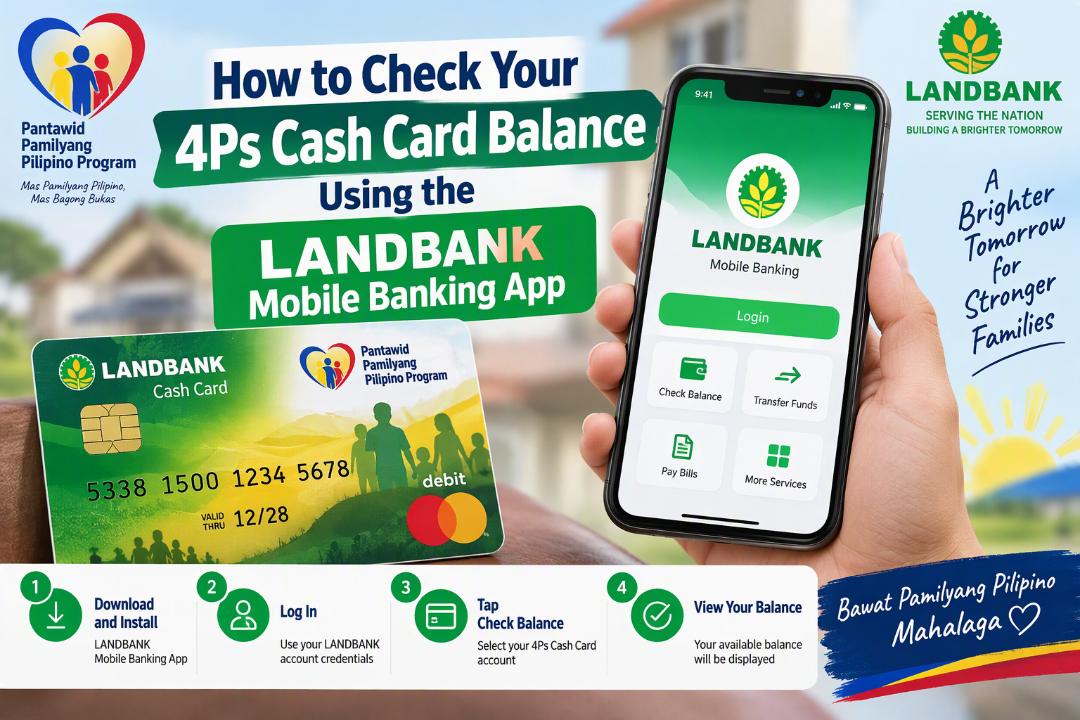
Checking the balance of your Pantawid Pamilyang Pilipino Program (4Ps) cash card no longer requires traveling to an ATM terminal, waiting in long queues, or spending transportation money just to verify if your cash grant has been credited. Through the official LANDBANK Mobile Banking App (MBA), beneficiaries can check their real-time balance, monitor incoming payouts, and review recent transaction history directly from a smartphone.
Understanding the 4Ps LANDBANK Cash Card
Beneficiaries of the Department of Social Welfare and Development (DSWD) 4Ps program receive their conditional cash grants through an EMV-enabled LANDBANK Cash Card (or an institutional deposit/transaction card, depending on the batch and region of issuance). Unlike a standard passbook savings account, a LANDBANK Cash Card operates as a prepaid or cash disbursement card designed specifically for government subsidies, payroll, and social welfare payouts.
Because cash grant schedules vary by region, payout wave, and compliance verification, checking your balance physically at an ATM or over-the-counter kiosk often results in wasted trips if funds have not yet arrived. Enrolling your card in the LANDBANK Mobile Banking App solves this issue by giving you 24/7 digital visibility into your account.
What You Need Before Getting Started
Before downloading or enrolling your 4Ps card on the LANDBANK Mobile Banking App, prepare the following items and details to ensure a smooth registration process:
- Your Physical LANDBANK 4Ps Cash Card: You will need the 16-digit card number printed on the front of the card (or the 10-digit account number if your card is linked to a standard deposit account).
- Card Expiry Date and CVV/CVC: Found on the front or back of your cash card, used during enrollment verification.
- Your 4-Digit ATM PIN: Required to verify ownership of the card when linking it to digital banking.
- An Active Mobile Number: This must be the mobile number registered with LANDBANK for receiving One-Time PINs (OTPs) via SMS. If you changed your SIM card or never updated your contact details, you will need to visit a LANDBANK branch to update your customer information first.
- A Valid Email Address: Used for account registration, login alerts, and transaction confirmation receipts.
- A Compatible Smartphone with Internet Connection: The LANDBANK Mobile Banking App is available on the Google Play Store (Android), Apple App Store (iOS), and Huawei AppGallery.
Step 1: Download the Official LANDBANK Mobile Banking App
Security is critical when dealing with digital banking. Always ensure you download the legitimate application published by Land Bank of the Philippines to avoid phishing or fraudulent clones.
- Open the Google Play Store, Apple App Store, or Huawei AppGallery on your smartphone.
- Search for “LANDBANK Mobile Banking”.
- Verify that the developer is listed as Land Bank of the Philippines (or official LANDBANK developer profile).
- Tap Install or Get and wait for the download to complete.
Note: Older standalone cash card balance inquiry apps previously used by beneficiaries have been consolidated into the unified LANDBANK Mobile Banking App, which supports deposit accounts, prepaid cards, and cash cards in one platform.
Step 2: Register and Enroll Your 4Ps Cash Card
If this is your first time using LANDBANK’s digital channels, you must create a User ID and link your cash card to your profile.
- Launch the App: Open the LANDBANK Mobile Banking App and review the initial security reminders and terms.
- Tap “Sign Up” or “Enroll Now”: Located on the main login screen.
- Select Your Account/Card Type: Choose Cash Card or Prepaid Card (or Deposit Account if your 4Ps card is a regular ATM savings card).
- Enter Card Details: Input your 16-digit Cash Card Number, card expiration date, and your 4-digit ATM PIN when prompted.
- Provide Personal and Contact Information: Enter your full name, date of birth, active email address, and registered mobile number.
- Verify via One-Time PIN (OTP): LANDBANK will send a 6-digit OTP to your registered mobile number. Enter this code into the app before it expires.
- Create Your Login Credentials:
- Choose a unique User ID (a combination of letters and numbers).
- Create a strong Password following the app’s character rules (typically mixing uppercase, lowercase, numbers, and special characters).
- Set up your OTP Generator or security questions if prompted.
- Complete Enrollment: Submit the form. Once confirmed, you will receive an email notification verifying your successful registration.
Step 3: Perform a 4Ps Balance Inquiry
Once your 4Ps cash card is enrolled, checking your balance takes less than a minute:
- Open the LANDBANK Mobile Banking App on your registered smartphone.
- Log In: Enter your User ID and Password (or use biometric login such as fingerprint or Face ID once enabled in settings).
- Authorize Your Device (First-Time Login): If logging in on a new device, enter the SMS OTP sent to your phone and tap Register this Device so future logins are faster and more secure.
- Navigate to “Accounts” or “My Accounts”: On the main dashboard, you will see a summary of your enrolled accounts and cards.
- Select Your 4Ps Cash Card: Tap on your enrolled Cash Card entry.
- View Your Available Balance: The screen will immediately display:
- Available Balance: The exact amount you can withdraw or spend right now.
- Current / Ledger Balance: Your total balance, including any pending authorizations.
- Transaction History: A list of recent cash grant credits, ATM withdrawals, and point-of-sale (POS) purchases.
Alternative Ways to Check Your 4Ps Balance
If your phone is temporarily unavailable, you lack internet access, or your mobile number is not yet updated with LANDBANK, you can use these official alternatives:
| Method | Requirements | Cost | Best Used When |
| LANDBANK iAccess (Web Browser) | Same User ID & Password as the mobile app, internet browser | Free | Using a desktop computer or laptop instead of a phone |
| LANDBANK ATM Terminal | Physical 4Ps Cash Card + 4-digit PIN | Free at LANDBANK ATMs | You are already near a branch and ready to withdraw cash |
| BancNet / Other Bank ATMs | Physical 4Ps Cash Card + 4-digit PIN | ₱2.00 – ₱5.00 per inquiry | No LANDBANK ATM is nearby (note: fees are deducted from your balance) |
| LANDBANK Customer Care Hotline | Card number & personal verification details | Standard call rates | Your card is locked, lost, or you cannot access digital banking |
Common Troubleshooting Issues and Solutions
- “Mobile Number Not Registered” or No OTP Received:
- Cause: Your SIM card is different from the number on file at LANDBANK, or network signal is weak.
- Fix: Ensure your registered SIM has active cellular signal. If you changed numbers, visit the nearest LANDBANK branch with your cash card and a valid government-issued ID to file a Customer Information Sheet (CIS) update.
- “Invalid Card Number or PIN” During Sign-Up:
- Cause: Selecting the wrong card category (e.g., choosing Deposit Account instead of Cash Card) or mistyping the 16-digit card number.
- Fix: Double-check whether your card is labeled Cash Card or Prepaid/Debit and re-enter the digits carefully without spaces.
- Locked User ID After Failed Attempts:
- Cause: Entering an incorrect password three consecutive times.
- Fix: Tap Unlock User ID or Forgot Password directly on the login screen of the LANDBANK Mobile Banking App to reset your credentials via email and OTP verification.
- Zero Balance Despite Announced Payout Schedule:
- Cause: DSWD releases 4Ps grants in batches per province/municipality, and posting times vary.
- Fix: Check your transaction history in the app rather than checking repeatedly every few minutes, and confirm batch release dates with your assigned DSWD City or Municipal Link.
Essential Security Tips for 4Ps Beneficiaries
- Never Share Your PIN, Password, or OTP: Neither DSWD nor LANDBANK will ever call, text, or message you on Facebook asking for your 4-digit ATM PIN, mobile banking password, or 6-digit OTP.
- Avoid Public Wi-Fi for Balance Inquiries: Use your personal mobile data or a trusted home Wi-Fi connection when logging into your banking app.
- Keep Your Card in Your Possession: Never surrender or pawn your 4Ps cash card (sangla ATM) to informal lenders—doing so violates DSWD program rules and puts your family’s cash grants at risk of forfeiture.
- Log Out After Checking: Always tap the Log Out button after viewing your balance, especially if other family members share your smartphone.