
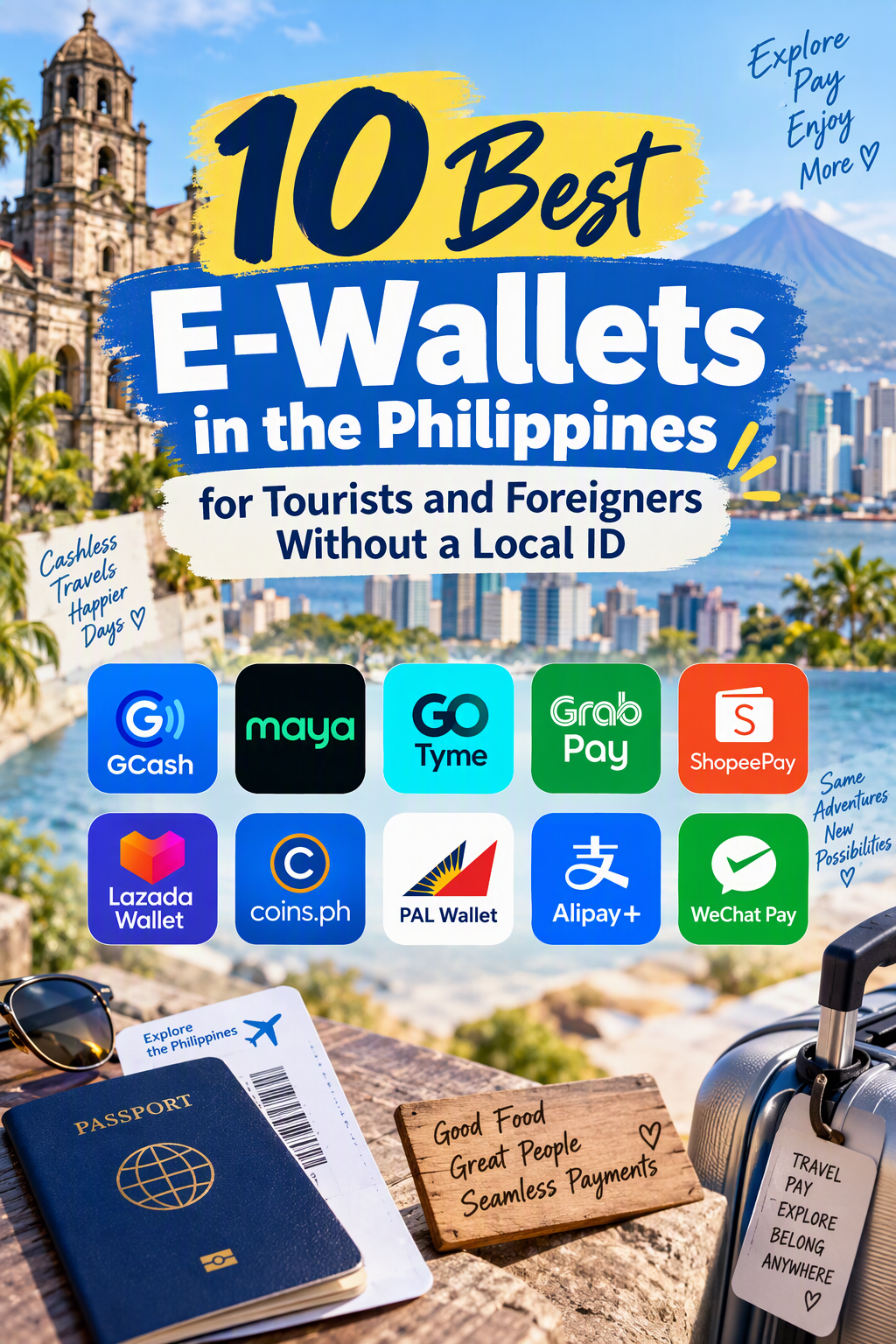
Navigating the Philippines with stacks of crisp 1,000-peso bills is becoming a thing of the past. From street food stalls in Cebu to boutique resorts in Siargao and ride-hailing apps in Manila, QRPh codes and digital payments are now the default way to pay.
However, for tourists, digital nomads, and newly arrived expats, setting up a local digital wallet hits an immediate roadblock: strict Bangko Sentral ng Pilipinas (BSP) Know-Your-Customer (KYC) regulations. Most Philippine financial apps require a Philippine government-issued ID—such as a PhilSys National ID, UMID, or Philippine Driver’s License—to unlock basic features like sending money, paying via QR, or cashing in.
Fortunately, several local e-wallets accept foreign passports, while a handful of international travel wallets integrate seamlessly with the Philippine QRPh network and local ATMs. Whether you are visiting for a two-week island-hopping vacation or settling in on a long-term tourist visa, these are the 10 best e-wallets in the Philippines you can use without a local ID.
Quick Comparison: Best E-Wallets for Foreigners in the Philippines
| E-Wallet | Type | Accepted ID for Foreigners | Local PH Number Required? | Best For |
| 1. GCash (Overseas / Tourist) | Local E-Wallet | Foreign Passport + ACR I-Card (or Overseas SIM) | Optional (supports select international SIMs) | Ubiquitous acceptance across the entire country |
| 2. Maya | Local E-Wallet & Bank | Foreign Passport (+ Visa/ACR for higher tiers) | Yes (+63) | Virtual Visa/Mastercard & QRPh payments |
| 3. Wise (TransferWise) | International Multi-Currency | Foreign Passport | No | Mid-market PHP exchange rates & zero-fee ATM withdrawals |
| 4. Revolut | International Travel Wallet | Foreign Passport | No | Budgeting, instant currency conversion & card security |
| 5. GrabPay Philippines | Super-App Wallet | Foreign Passport | Yes (+63) | Rides, food delivery & QRPh merchant payments |
| 6. Alipay+ (via Home E-Wallet) | Cross-Border QR Network | Existing Home Country KYC | No | Tourists from East & Southeast Asia using home apps |
| 7. Coins.ph | Local Crypto & Peso Wallet | Foreign Passport | Yes (+63) | Converting crypto to PHP & paying local bills/QR |
| 8. ShopeePay Philippines | E-Commerce & QR Wallet | Foreign Passport | Yes (+63) | Online shopping, discounts & QRPh scanning |
| 9. PayPal | Global Digital Wallet | Foreign Passport | No | Freelancers, hotel bookings & sending funds to local GCash |
| 10. Remitly / WorldRemit | Remittance-to-Cash Wallet | Foreign Passport | No | Sending cash to yourself for instant pawnshop pickup |
1. GCash (GCash Overseas & Tourist Registration)
GCash is the undisputed king of Philippine digital payments. Nearly every sari-sari store, tricycle driver, mall merchant, and tour operator accepts GCash. Historically, foreigners without an Alien Certificate of Registration (ACR I-Card) were locked out of full verification, but recent updates have made it significantly more accessible.
- How Foreigners Qualify: You can register using a local Philippine SIM card (+63) and verify your account using a valid foreign passport alongside proof of your Philippine entry stamp or tourist visa. Additionally, GCash Overseas allows users with select international mobile numbers (including the US, UK, Canada, Australia, Japan, and Singapore) to register and verify using a foreign passport before even landing in Manila.
- Key Features: Scan-to-pay via QRPh, instant bank transfers via InstaPay, load purchases for local SIMs, and booking domestic ferries or buses.
- Limitations: Without an ACR I-Card (issued to foreigners staying longer than 59 days), your wallet limit remains capped at the Basic or Entry-level verified tier (typically PHP 50,000 monthly limit), and you cannot access GCash’s lending or investment products.
2. Maya
Maya (formerly PayMaya) is GCash’s closest competitor and offers a cleaner, faster interface that many expats prefer. Unlike standard e-wallets, Maya operates under a full digital banking license from the BSP, giving it higher reliability during peak hours.
- How Foreigners Qualify: Download the app with a local +63 SIM card and submit your foreign passport during the upgrade process. A selfie video check is required. Short-term tourists can get verified with a passport and valid visa stamp, while long-term residents can submit an ACR I-Card to unlock higher wallet limits.
- Key Features: Instant generation of a virtual Visa or Mastercard upon funding your account—ideal for booking domestic flights on Cebu Pacific or Philippine Airlines, which often reject foreign credit cards due to 3D-Secure mismatch issues.
- Limitations: Cashing in without a local Philippine bank account requires visiting convenience stores (7-Eleven, Ministop) or pawnshops (Cebuana Lhuillier) with physical peso bills.
3. Wise (Formerly TransferWise)
If you do not want the hassle of buying a local SIM card or dealing with Philippine KYC delays, Wise is the single best financial tool for traveling in the Philippines. While it is not a Philippine-issued e-wallet, it functions as a multi-currency digital wallet that holds Philippine Pesos (PHP) directly.
- How Foreigners Qualify: Sign up using your home country address and foreign passport before your trip.
- Key Features: Convert USD, EUR, GBP, AUD, or SGD into PHP at the true mid-market exchange rate with transparent, tiny fees. You can use the physical or digital Wise debit card for tap-to-pay terminals in malls, hotels, and restaurants, or withdraw cash at local ATMs.
- Pro Tip: Use your Wise wallet to send PHP directly to any local tour guide, Airbnb host, or driver’s GCash or Maya account in seconds—no local e-wallet required on your end.
4. Revolut
Similar to Wise, Revolut is an international digital wallet built for travelers. It allows you to hold and exchange PHP inside the app at competitive interbank rates on weekdays, shielding you from dynamic currency conversion traps at Philippine ATMs and card terminals.
- How Foreigners Qualify: Open to residents of the EEA, UK, US, Australia, Singapore, Japan, and several other countries using a foreign passport.
- Key Features: Disposable virtual cards for safe online bookings (such as Klook tours or domestic hotels), instant spending notifications, and fee-free ATM withdrawals up to your plan’s monthly allowance.
- Limitations: Does not support scanning Philippine QRPh codes directly; works best alongside cash or a local wallet like GrabPay.
5. GrabPay Philippines
Even if you only plan to use Grab to get from Ninoy Aquino International Airport (NAIA) to your hotel in Makati or BGC, activating GrabPay unlocks a surprisingly versatile local e-wallet.
- How Foreigners Qualify: GrabPay accepts foreign passports for wallet verification. Because Grab is a regional Southeast Asian super-app, its onboarding process is far smoother for international travelers than traditional Philippine banks.
- Key Features: Pay for GrabCar rides, GrabFood deliveries, and GrabExpress couriers cashlessly. More importantly, GrabPay is integrated with QRPh, meaning you can use your GrabPay balance to scan and pay at thousands of brick-and-mortar retail stores and restaurants nationwide. You can also top up GrabPay directly using a foreign Visa or Mastercard.
6. Alipay+ (Using Your Home Country E-Wallet)
If you are traveling to the Philippines from East or Southeast Asia, you may not need to download a new wallet at all. Through the Alipay+ cross-border payment network, the Philippines has integrated major Asian e-wallets directly into local QRPh point-of-sale terminals.
- How Foreigners Qualify: No Philippine registration or local ID is needed. Simply use your existing verified account on Alipay (China), AlipayHK, Kakao Pay (South Korea), Touch ‘n Go eWallet (Malaysia), TrueMoney (Thailand), or OCBC/EZ-Link (Singapore).
- Key Features: Scan participating QRPh codes at SM Malls, Robinson’s, Jollibee, 7-Eleven, and major tourist hubs. Your home currency is automatically converted to PHP at competitive partner rates.
- Limitations: Primarily works at established commercial merchants with official QRPh merchant stands rather than peer-to-peer personal QR codes used by street vendors.
7. Coins.ph
Coins.ph is one of the oldest BSP-regulated digital wallets in the Philippines, bridging traditional peso transactions with cryptocurrency. It is particularly popular among digital nomads and crypto travelers visiting the country.
- How Foreigners Qualify: Register with a +63 mobile number and complete identity verification using your foreign passport and proof of address (a hotel booking confirmation or Airbnb receipt often suffices for basic verification).
- Key Features: Convert Bitcoin, USDT, USDC, or Ethereum directly into Philippine Pesos, then spend those pesos via QRPh scan-to-pay, InstaPay bank transfers, or mobile load top-ups.
- Limitations: Exchange spreads on crypto-to-PHP conversions can be slightly higher than global exchanges, though the convenience of instant local spending makes up for it.
8. ShopeePay Philippines
If you are staying in the Philippines for a few weeks and need travel essentials, beachwear, or electronics delivered to your hotel or condo, ShopeePay serves both as an e-commerce checkout tool and an everyday QR wallet.
- How Foreigners Qualify: Switch your Shopee app region to the Philippines, register with a local SIM, and verify your ShopeePay wallet using a foreign passport (an ACR I-Card is only required if you are applying for credit products like SPayLater).
- Key Features: Free shipping vouchers on Shopee orders, QRPh scanning at physical retail partners, and seamless cash-ins at 7-Eleven or via InstaPay.
9. PayPal
While PayPal is not used for scanning QR codes at local coffee shops, it remains an essential bridge wallet for foreigners operating in the Philippines—especially remote workers and long-term travelers.
- How Foreigners Qualify: Use your existing home-country PayPal account with your foreign passport verification intact.
- Key Features: Widely accepted by Philippine diving schools, boutique resorts, tour agencies, and expat service providers. If you set up a local GCash account, you can also link your PayPal account directly to GCash to withdraw USD or EUR balances into PHP at reasonable rates.
10. Remitly (Cash-Pickup Digital Wallet Strategy)
Technically a remittance app rather than a stored-value e-wallet, Remitly acts as a vital backup “wallet” when you are on remote islands like Palawan, Siquijor, or Camiguin where local ATMs frequently run out of cash or reject foreign cards.
- How Foreigners Qualify: Sign up using your home details and foreign passport.
- Key Features: Send money to yourself in minutes using a foreign debit/credit card and select Cash Pickup at ubiquitous pawnshops like Cebuana Lhuillier, M Lhuillier, or Palawan Pawnshop. Even the smallest island towns have at least one pawnshop branch where you can walk in with your passport and reference number to collect crisp PHP bills.
Essential Tips for Using E-Wallets as a Foreigner in the Philippines
- Buy a Local SIM Card at the Airport: Upon landing at Manila (NAIA) or Cebu (MCIA), pick up a Globe or Smart tourist SIM card (or eSIM). Having a +63 mobile number unlocks verification for GCash, Maya, GrabPay, and Coins.ph, and ensures you receive SMS One-Time Passwords (OTPs) reliably.
- Use Wise or Remitly to Fund Your Local Wallet: Foreign credit and debit cards often fail when trying to cash in directly inside GCash or Maya due to strict Philippine anti-fraud blocks. Instead, fund your local GCash or Maya account by sending an instant bank/e-wallet transfer from Wise or Remitly using your +63 mobile number as the account number.
- Understand the “QRPh” Logo: You do not need ten different apps to pay different merchants. Whenever you see the red, blue, and yellow QRPh logo at a checkout counter, any local wallet (GCash, Maya, GrabPay, Coins.ph, ShopeePay) can scan that exact same QR code.
- Always Carry Emergency Cash: While Manila, Cebu, Boracay, and Siargao are heavily digital, power outages, weak cellular signals on remote islands, and tricycle fares still require physical pesos. Keep PHP 2,000 to PHP 5,000 in small bills (PHP 50s, 100s, and 500s) alongside your digital wallets.